I can’t log in
Password, verification or an account used before the current system.
Open login helpStart with the problem
Find the issue and go straight to the right account, matching, billing or support path. First confirm whether it happened on the website, iPhone or iPad, or Android.
Use your own words
Choose the statement closest to what is happening, then follow its next step.
Password, verification or an account used before the current system.
Open login helpSeparate an unsuitable recommendation from a small or repeated result set.
Choose the matching issueIdentify the visible message status and the device where it happened.
Review message routesUse the profile-review route for a pending profile or photo change.
Open profile-review helpStart with where the purchase was made and what the receipt shows.
Choose the payment channelChoose carefully: stopping renewal and closing an account are separate tasks.
Compare the account actionsChoose Hide, Block or Report according to the outcome you need.
Compare member controlsRecord what failed, where it failed and the exact error shown.
Run the short diagnosisApp access, permissions and store-managed purchases may use iOS-specific steps.
Choose iOS helpApp access, permissions and store-managed purchases may use Android-specific steps.
Choose Android helpPrepare the account, device and error details that reduce follow-up questions.
Prepare a support requestTry a shorter description such as “login”, “message”, “payment”, “delete”, “app” or “report”.
Same issue, possibly different steps
Platform matters most for app access, permissions and subscription management.
Use this route for web login, browser loading, website purchases and settings shown after signing in.
Website troubleshootingCheck whether the issue concerns the EliteSingles account, an iOS permission or a subscription handled through Apple.
iOS support routeCheck whether the issue concerns the account, an Android permission or a subscription handled through Google Play.
Android support routeKeep account tasks separate
A forgotten password, a verification prompt and an older account are different problems. The dedicated EliteSingles Australia login page routes each one without collecting credentials on this website.
Four actions people often confuse
Changes the current account state when that option is available.
Requests removal of the account under the current account process.
Stops future subscription renewal through the channel that manages the purchase.
May involve records held under the previous account system and requires account-access help.
Deleting an account is not the same as cancelling an app-store subscription. Apple or Google Play purchases must also be managed through the relevant store. Support may request a receipt for an older paid account; no outcome is promised here.
Matches and Discover
Distance instructions are not repeated here because the exact controls can differ by feature and platform. Record where the distance problem appears before contacting Support.
Messages and conversations
A Failed label means the message was not delivered; it does not reveal a reliable cause and does not prove that the recipient blocked you. Record whether the failure repeats, which platform you used and the exact status displayed.
For a hidden conversation, missing history or an unsend question, avoid assuming that Hide, Block or account deletion removed the content. Those behaviours require confirmation from the current account interface or Support.
Profile and photos
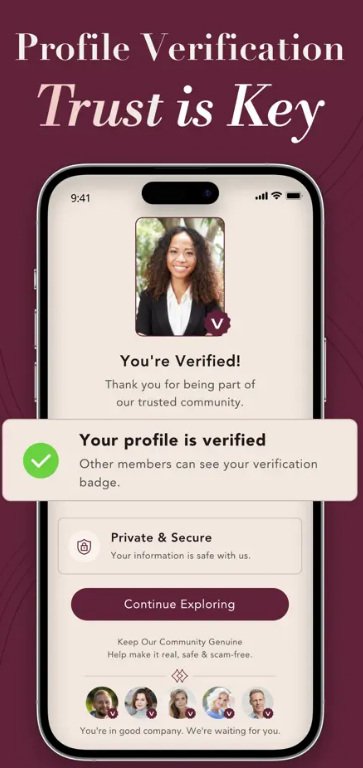
Use profile-review help when an edit or photo remains pending. Verification concerns the visible account state; profile visibility concerns who can see the account.
Start with the payment channel
Do not rely on an old price or offer. Current access, billing periods and renewal terms should be checked in the live membership flow or the account that manages the purchase.
Use the signed-in membership or payment area. If the status is unclear, include the receipt date and charge description in a Support request.
Check the Apple account used for the purchase. Account deletion does not replace store subscription management.
Check the Google account used for the purchase. Keep the store receipt when asking Support to identify a charge.
One account across devices
Current EliteSingles information says the website and app use the same account, so creating another profile is not the answer to an app login problem. First identify whether the issue is the account, the app itself, a device permission or store billing.
Visibility, contact or platform review
Hide, Block and Report do not perform the same job. The member-control comparison explains what current EliteSingles documentation confirms and where the meaning of Hide depends on context.
Four details before troubleshooting
A useful technical report identifies the failure instead of listing unrelated fixes.
Login, message, profile update, payment or page loading.
Website, iPhone or iPad, or Android.
Copy the exact error text or capture the visible state.
Note the action immediately before the problem and the approximate time.
Reduce unnecessary follow-up
Open Help from your current EliteSingles account and choose the Contact Us route. If you cannot access the account, use the public EliteSingles Help contact path.
One route at a time
Choose the issue and platform, then follow the matching path. If it remains unresolved, send Support the exact account, device and error details.